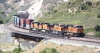
Sassy

Post your FREEWARE 'Works in Progress' here!

Re: Sassy

Unread postby Trainguy76 » Tue Feb 15, 2011 12:21 am

Thanks for the comments everyone, I really appreciate it! !*salute*!


qrfan3 wrote:Lets hope Hennings gets his exporter working real soon so you can get it fully operational.


Henning did mention that it is likely to come out sometime this week, so we'll get there soon.
User avatar
Trainguy76
 
Posts: 630
Joined: Mon Feb 15, 2010 12:46 am
Location: San Bernardino, California

Re: Sassy

Unread postby SithMurcielago » Tue Feb 15, 2011 8:18 am

This must be year of the American Diesel. Great Work look forward to add these to in CSX Scheme. Btw Payware I assume?
Was formely known as Stmbuzz
For Train Blueprints, information visit my site at:
http://s4.zetaboards.com/railroadpol
Blog:
http://necrw.blogspot.com/
User avatar
SithMurcielago
 
Posts: 541
Joined: Sun Aug 15, 2010 12:24 am
Location: New York, USA

Re: Sassy

Unread postby Trainguy76 » Tue Feb 15, 2011 9:57 am

stmbuzz wrote:Btw Payware I assume?


Freeware.
User avatar
Trainguy76
 
Posts: 630
Joined: Mon Feb 15, 2010 12:46 am
Location: San Bernardino, California

Re: Sassy

Unread postby Trainguy76 » Thu Feb 17, 2011 3:50 pm

Image

Does anyone know what this is called?


PS, it looks like the new exporter is out.
User avatar
Trainguy76
 
Posts: 630
Joined: Mon Feb 15, 2010 12:46 am
Location: San Bernardino, California

Re: Sassy

Unread postby micaelcorleone » Thu Feb 17, 2011 5:49 pm

Trainguy76 wrote:PS, it looks like the new exporter is out.

Yeeeehaw!!!!!!!!!!!! !*YAAA*!
User avatar
micaelcorleone
 
Posts: 1668
Joined: Tue Oct 05, 2010 11:04 am
Location: Bavaria, Germany

Re: Sassy

Unread postby thecanadianrail » Wed Feb 23, 2011 9:53 am

so, any updates on your progress? really can't wait much longer i am going crazy for this!!!!! !**duh*!!
User avatar
thecanadianrail
 
Posts: 2613
Joined: Fri Oct 29, 2010 8:36 am
Location: Manitoba, Canada

Re: Sassy

Unread postby Trainguy76 » Thu Feb 24, 2011 10:10 pm

Hiya,

I'm working on the hard part, getting the locomotive into RailWorks, I expect this to take a while.
User avatar
Trainguy76
 
Posts: 630
Joined: Mon Feb 15, 2010 12:46 am
Location: San Bernardino, California

Re: Sassy

Unread postby thecanadianrail » Sun Feb 27, 2011 9:35 am

so how is it going, have you hit a dead end that you need help on or is everything ok? i know you said it would take a while and i am being patient but i just would like an update on how things are going?
User avatar
thecanadianrail
 
Posts: 2613
Joined: Fri Oct 29, 2010 8:36 am
Location: Manitoba, Canada

Re: Sassy

Unread postby Trainguy76 » Sun Feb 27, 2011 9:54 pm

So basically what I have to do is,

Name the objects on the second truck. Then I must create a new texture for the second truck, and change the mapping to it. This is because the second truck is a clone of the first one. Then I must write the IGS_Modfile that the Bigex exporter requires. It must specify each object in the scene that will be exported. After that, I must work on putting the locomotive into RailWorks. What I don't know how to do in this is create a cab setup. If I knew that it would be easier for me. I must also correctly make the Engine Blueprints. After that I must texture the engine, and then it will be done.

If anyone can tell me how to make a Cab blueprint, that would help a lot.
User avatar
Trainguy76
 
Posts: 630
Joined: Mon Feb 15, 2010 12:46 am
Location: San Bernardino, California

Re: Sassy

Unread postby Trainguy76 » Sun Mar 13, 2011 1:49 am

Hiya, no super duper progress to report, though I do have to say that I am still working on it. I have had some things limit the amount of time I can spend on it. I will finish it though.
User avatar
Trainguy76
 
Posts: 630
Joined: Mon Feb 15, 2010 12:46 am
Location: San Bernardino, California

Re: Sassy

Unread postby thecanadianrail » Sun Mar 13, 2011 7:24 am

take your time, it is not like there is a deadline for something like this. the more time you take the more things on it you can make better.
User avatar
thecanadianrail
 
Posts: 2613
Joined: Fri Oct 29, 2010 8:36 am
Location: Manitoba, Canada

Re: Sassy

Unread postby Trainguy76 » Tue Apr 05, 2011 11:29 pm

Hiya,

I need a way to get all names from my Blender scene to a text file, It's a long shot, but do any of you know Python code and are able do this?

If I can get this, I will be able to start working on the Engine Blueprints for getting this into RailWorks very soon. If I can't... well typing 1,450 object names is easy right?
User avatar
Trainguy76
 
Posts: 630
Joined: Mon Feb 15, 2010 12:46 am
Location: San Bernardino, California

Re: Sassy

Unread postby Kali » Wed Apr 06, 2011 5:33 am

Bigex can do it, can't it? I've certainly got all the object names in my exporter log, the problem is they're hidden amongst a massive amount of other data.
Kali
 
Posts: 1600
Joined: Mon Mar 14, 2011 1:00 am
Location: England-by-Sea

Re: Sassy

Unread postby Trainguy76 » Sat Apr 09, 2011 6:14 pm

Kali wrote:Bigex can do it, can't it? I've certainly got all the object names in my exporter log, the problem is they're hidden amongst a massive amount of other data.


These are the replies I received by Henning, and AndiS. http://forums.uktrainsim.com/viewtopic. ... 2&t=114841


___________________________________________________________

Here's an update, I'm writing the merge file now, so I can have the BE not die on me. I decided that the doors on the side may need to be more flush, what do you all think?


Image
User avatar
Trainguy76
 
Posts: 630
Joined: Mon Feb 15, 2010 12:46 am
Location: San Bernardino, California

Re: Sassy

Unread postby thecanadianrail » Sat Apr 09, 2011 6:26 pm

i thought the radiators were "flared out" on the top and not flush like the MAC? looks good to me though!
User avatar
thecanadianrail
 
Posts: 2613
Joined: Fri Oct 29, 2010 8:36 am
Location: Manitoba, Canada

PreviousNext

Return to Freeware WIP

Who is online

Users browsing this forum: No registered users and 0 guests