Changing a track's speed limit does not require entering the route editor. I just took a few screen shots and will post a brief tutorial here as soon as I've done a bit of editing. . . please stand by . . .
Okay, here we go:
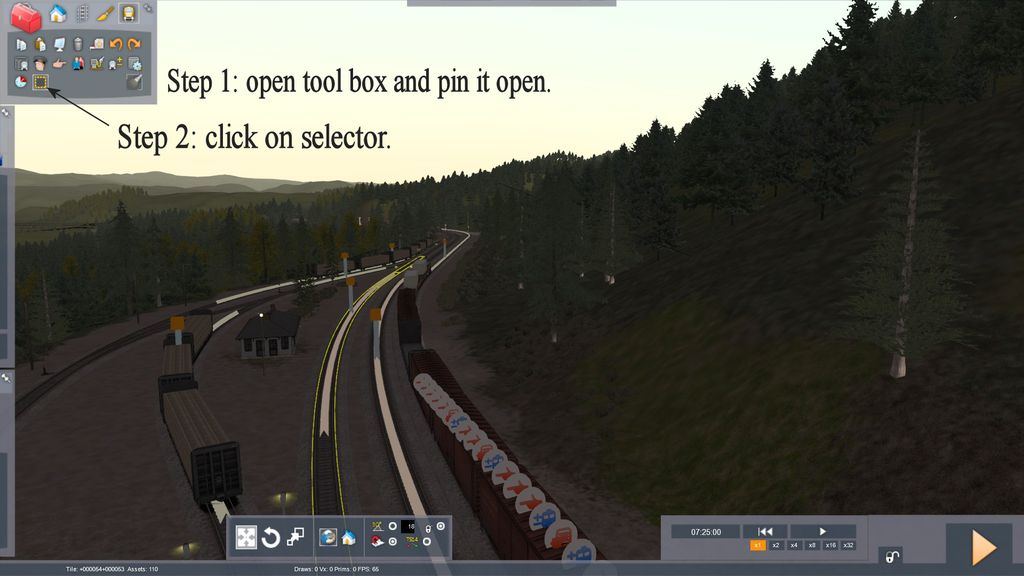
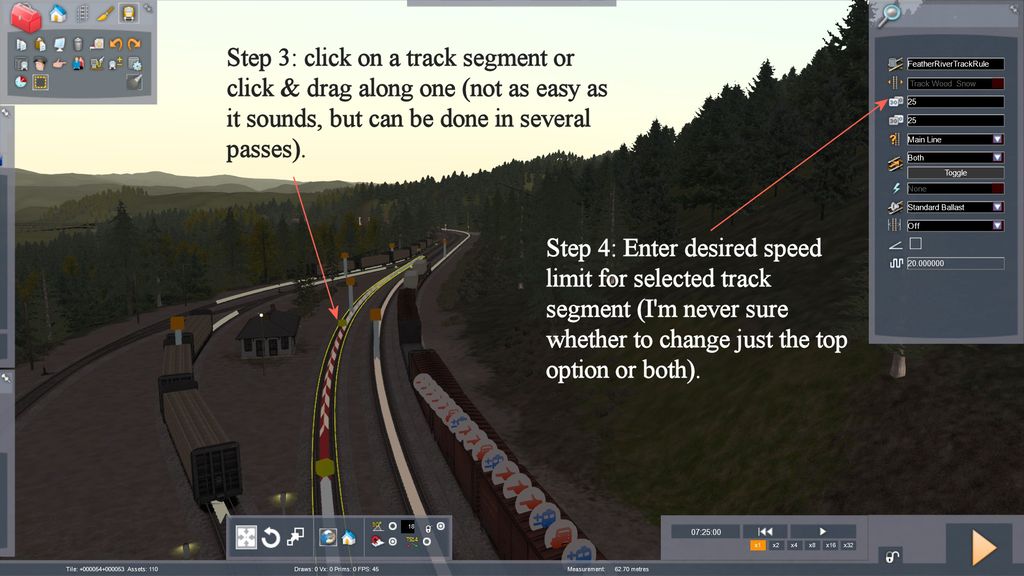
Right click in an open area to dismiss the track properties fly-out.
I've done this a number of times, primarily to set low speed limits in yard areas for switching scenarios. Selecting the section of track for which you want to change the speed limit is the only difficult part. In fact, it can become downright frustrating. I almost always find that I have to make a few practice passes before I get the section I want.
Patience is the key to success.
These speed changes will probably not show up in the ribbon (I have no idea how to make that happen and my guess is that most route builders don't, either), but will appear in the speed limit area of the HUD.

 Posted: Thu Mar 03, 2016 5:27 am

