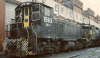
Changing default horn on SW1500

Discuss almost anything about RailWorks.

Changing default horn on SW1500

Unread postby CRQ976 » Mon Feb 20, 2012 10:18 pm

Hi everyone.

I recently switched from Trainz Railroad Simulator to Railworks, and let me say, Railworks is a real "simulator." Now, on to the real reason for this post..

In the SW1500 pack, it seems that the horn loop is a little "over" obvious. You can hear the loop at certain points. It's a good horn, no doubt, but is there a way to switch this out? I know with Trainz, this was done simply with the content manager, and I'm wondering if there's something similar for Railworks? If possible, it'd be nice to keep the bell, just change the horn. I love how the bell sounds inside the cab and then switching to the outside. Also, since the new patch, the grills aren't dissapearing when turning on the headlights, which is really nice.

In addition, my first post! !*salute*!

Happy railroading!!

CRQ976
CRQ976
 

Re: Changing default horn on SW1500

Unread postby Rich_S » Tue Feb 21, 2012 11:42 am

There is no way I know of inside the sim or editors to change the horn, but much like MSTS if you find another horn you like just replace the default horn in the Steam\SteamApps\common\railworks\Assets\RSC\SW1500Pack01\Audio\RailVehicles\Diesel\US Generic\Cab folder with the new horn. The default horn file is named T_CAB_Horn.dav

Another method is to edit the horn.proxyxml file changing the paths in the sound statement to point to a horn sound from another unit.

Example:

I wanted to use the GP7 horn sound from the RSC Horseshoe route so I changed my sound statement in the SW1500 horn.proxyxml file to the follow:

Code: Select all
            <kLoud-cSingleSampleSound d:id="56601952">
               <Name d:type="cDeltaString">Horn</Name>
               <IsLooped d:type="bool">1</IsLooped>
               <Priority d:type="sUInt32">100</Priority>
               <BaseVolume d:type="sFloat32">1.000000</BaseVolume>
               <VolumeVariation d:type="sFloat32">0.000000</VolumeVariation>
               <BasePitchShift d:type="sFloat32">1.000000</BasePitchShift>
               <PitchShiftVariation d:type="sFloat32">0.000000</PitchShiftVariation>
               <AttenuationStartDist d:type="sFloat32">50.000000</AttenuationStartDist>
               <NoFutherAttenuationDist d:type="sFloat32">1000.000000</NoFutherAttenuationDist>
               <InstanceGroup d:type="ref">0</InstanceGroup>
               <Sample>
                  <kLoud-cSampleID>
                     <Pathname d:type="cDeltaString">RSC\HorseShoeCurve</Pathname>
                     <Filename d:type="cDeltaString">RSC\HorseShoeCurve\Audio\RailVehicles\Diesel\GP7\T_AIR_HornLoop.dav</Filename>
                  </kLoud-cSampleID>
               </Sample>
            </kLoud-cSingleSampleSound>
            <kLoud-cSingleSampleSound d:id="56599392">
               <Name d:type="cDeltaString">Horn Start</Name>
               <IsLooped d:type="bool">0</IsLooped>
               <Priority d:type="sUInt32">50</Priority>
               <BaseVolume d:type="sFloat32">1.000000</BaseVolume>
               <VolumeVariation d:type="sFloat32">0.000000</VolumeVariation>
               <BasePitchShift d:type="sFloat32">1.000000</BasePitchShift>
               <PitchShiftVariation d:type="sFloat32">0.000000</PitchShiftVariation>
               <AttenuationStartDist d:type="sFloat32">50.000000</AttenuationStartDist>
               <NoFutherAttenuationDist d:type="sFloat32">1000.000000</NoFutherAttenuationDist>
               <InstanceGroup d:type="ref">0</InstanceGroup>
               <Sample>
                  <kLoud-cSampleID>
                     <Pathname d:type="cDeltaString">RSC\HorseShoeCurve</Pathname>
                     <Filename d:type="cDeltaString">RSC\HorseShoeCurve\Audio\RailVehicles\Diesel\GP7\T_AIR_HornStart.dav</Filename>
                  </kLoud-cSampleID>
               </Sample>
            </kLoud-cSingleSampleSound>
            <kLoud-cSingleSampleSound d:id="56591456">
               <Name d:type="cDeltaString">Horn End</Name>
               <IsLooped d:type="bool">0</IsLooped>
               <Priority d:type="sUInt32">50</Priority>
               <BaseVolume d:type="sFloat32">1.000000</BaseVolume>
               <VolumeVariation d:type="sFloat32">0.000000</VolumeVariation>
               <BasePitchShift d:type="sFloat32">1.000000</BasePitchShift>
               <PitchShiftVariation d:type="sFloat32">0.000000</PitchShiftVariation>
               <AttenuationStartDist d:type="sFloat32">50.000000</AttenuationStartDist>
               <NoFutherAttenuationDist d:type="sFloat32">1000.000000</NoFutherAttenuationDist>
               <InstanceGroup d:type="ref">0</InstanceGroup>
               <Sample>
                  <kLoud-cSampleID>
                     <Pathname d:type="cDeltaString">RSC\HorseShoeCurve</Pathname>
                     <Filename d:type="cDeltaString">RSC\HorseShoeCurve\Audio\RailVehicles\Diesel\GP7\T_AIR_HornEnd.dav</Filename>
                  </kLoud-cSampleID>
               </Sample>
            </kLoud-cSingleSampleSound>


Hope this helps?

Regards,
Rich S.
Cheers,
Rich S.
User avatar
Rich_S
 
Posts: 708
Joined: Tue Aug 24, 2010 11:19 pm
Location: Baden, PA, USA

Re: Changing default horn on SW1500

Unread postby CRQ976 » Tue Feb 21, 2012 11:45 am

Thanks Rich!

Yes, that's just what I was looking for. I'll give it a go a little later today.

Thanks!!!
CRQ976
 

Re: Changing default horn on SW1500

Unread postby DonR » Wed Feb 22, 2012 7:39 am

Guys,

When we make changes like this, are they overwritten when you do a verify files?
If so, are you manually editing this stuff every time you verify files or an update occurs?

Thanks
Don
DonR
 
Posts: 145
Joined: Tue Jan 12, 2010 11:57 pm

Re: Changing default horn on SW1500

Unread postby Chacal » Wed Feb 22, 2012 3:32 pm

Yes they will be overwritten.
No I don't edit manually every time.
I store the edited copy of the file in a different folder and just copy it back to the RW folder after an upgrade or verify cache.
I don't do this manually either: I have a script that does this for the dozens of modified files I have. It runs in a few seconds.
I have posted examples of such script files here recently.
Over the hill and gathering speed
Chacal
Site Admin
 
Posts: 6634
Joined: Tue Jul 05, 2011 1:11 pm
Location: Quebec, Canada


Return to General Discussion

Who is online

Users browsing this forum: No registered users and 9 guests