Page 1 of 1

Anyone runnng TS2017 on an ASUS Zenbook ?

Unread postPosted: Wed Jan 04, 2017 12:39 pm
by Cardinal51
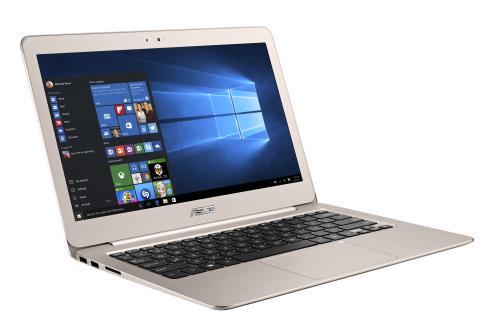
Anyone runnng TS on a Asus Zenbook UX31OU ?

I am quite happy with how it runs TS2017, but am wondering how other people squeeze the most TS2017 performance out of it, and what TS2017 settings they use. Possibly the biggest performance eater is McAfee, which runs in the background.
Image

My system specs are:

Operating System
Windows 10 Home 64-bit
CPU
Intel Core i3 @ 2.30GHz
Skylake-U/Y 14nm Technology
RAM
8.00GB Dual-Channel Unknown @ 1064MHz --Upgraded from 4 GB--
Motherboard
ASUSTeK COMPUTER INC. UX310UA (U3E1)
Graphics
Generic PnP Monitor (1920x1080@60Hz)
Intel HD Graphics 520 (ASUStek Computer Inc)
Storage
465GB Samsung SSD 750 EVO 500GB (SSD) --Upgrade--
119GB SanDisk SD8SNAT128G1002 (SSD) --OS is on this one--
Audio
Conexant SmartAudio HD

Re: Anyone runnng TS2017 on an ASUS Zenbook ?

Unread postPosted: Wed Jan 04, 2017 1:52 pm
by GSkid
It's all a matter of where you are willing to sacrifice. Your virus program shouldn't be messing up your performance all that much. It will tax your hard drive acccess far more than CPU cycles. It would affect loading times of routes and maybe some of the tile loading and not much else. You could turn off the antivirus while running the sim to see if it improves things, but I don't think it will help all that much.

That laptop has a i3-6100u which is a 15W dual-core, 4-thread chip that has no turbo clocking. So no way to improve things there. I'd say choose different balances of settings that give you the best combo of both performance and graphic quality you can live with. I usually have shadows completely off cuz it improves frame rates and I don't like the draw-in that occurs when used at the higher settings.

Another trick is if you lower the resolution. Instead of using 1080p..... drop it down to 720p res. You will still have an HD resolution while still maintaining a 16:9 aspect ratio. That will improve frame rates. Also if you can live with the less accurate color and lighting..... turn off dynamic lighting and that will bump up frame rates significantly.

You can try all the above methods I mentioned and should be able to push your franrates higher and higher. Just depends on how much you are willing to compromise and in what areas.

At the end of the day you will have to fiddle with the in-sim settings to come up with the solution that best suits you. !!howdy!!

Re: Anyone runnng TS2017 on an ASUS Zenbook ?

Unread postPosted: Wed Jan 04, 2017 8:57 pm
by JerryC
I just bought a Microsoft Surface Pro 4. TrainSimulator seems to run well on it, but it's full screen or tiny windowed mode. I've been able to set nothing in between. And, just as on my Toshiba laptop, it is a serious battery hog. The Surface will do about five hours of magazine reading or just general computing, but is dead within the hour playing TrainSimulator.

As for TS related programs:

- Photoshop is unusable unless you hack the registry to make the interface larger.
- Blender is usable after setting the maximum DPI in the systems settings.
- Haven't yet tried RWTools, Adobe Audition, or the Unreal Engine yet.

Re: Anyone runnng TS2017 on an ASUS Zenbook ?

Unread postPosted: Thu Jan 05, 2017 6:17 am
by Cardinal51
Thanks GS and Jerry.

That is some good info, will do some tweaking the next coming days.

My main concern is stuttering , is that effect caused by low FPS, or ... ?

Re: Anyone runnng TS2017 on an ASUS Zenbook ?

Unread postPosted: Thu Jan 05, 2017 8:35 am
by JerryC
In my experience, there were two causes for stuttering. First was the graphics card. Nvidia 500ti stuttered, vs Nvidia 970 GTX, which has no stuttering at all. The second cause was the hard drive. Moving to am SSD eliminated the tile-load stuttering.

Actually, many things can cause stuttering, from graphics cards to how many polygons make up the models. It's just kind of a trial and error to see which one is causing it on your system.

Re: Anyone runnng TS2017 on an ASUS Zenbook ?

Unread postPosted: Fri Jan 06, 2017 5:37 pm
by QcRail
To JerryC,

I have also a MS Surface 4pro and I normally run Photoshop, but did get the same surprise as you when running Photoshop on Surface - you need a microscope to read everything : icons and lettering !*not-ok*! You seemed to have resolved the issue with altering the Registries. Would you be kind as to share this information. I prefer having a walk through as I am not an expert, nor at ease, in tweaking the Windows 10 registers.

I would prefer keeping Photoshop as I am quite adept with its structure, yet I have just installed Gimp on Surface and it runs as any other software; but I do not want to learn and re-adapt with my 2D graphic knowledge - Ah laziness !**duh*!!

Hope you can stear me in the right direction
Bernard

Re: Anyone runnng TS2017 on an ASUS Zenbook ?

Unread postPosted: Sun Jan 08, 2017 9:28 am
by QcRail
No need to go beyond my last request, I have found two good You-tube videos that addresses the High DPI Display on tablets. They are well done and they provide the necessary file to insert in the Adobe folder... look under Windows high DPI display !!*ok*!!

Bernard