Page 1 of 1

52 Foot Gondola

Unread postPosted: Sat Jul 29, 2017 4:04 pm
by GenericZack
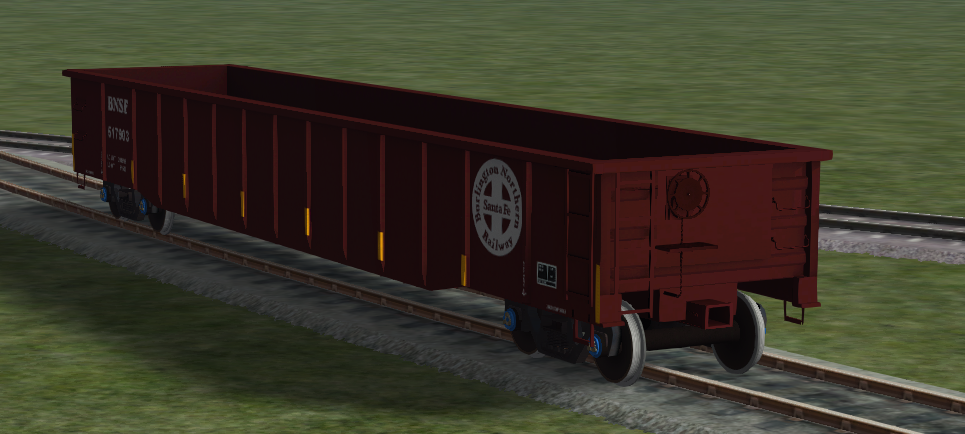
So ive been working on this gondola. and i have a few issues.
im able to place it on the tracks. so thats good.

but the couplers dont show up.
the bogies dont turn
the wheels prolly dont turn
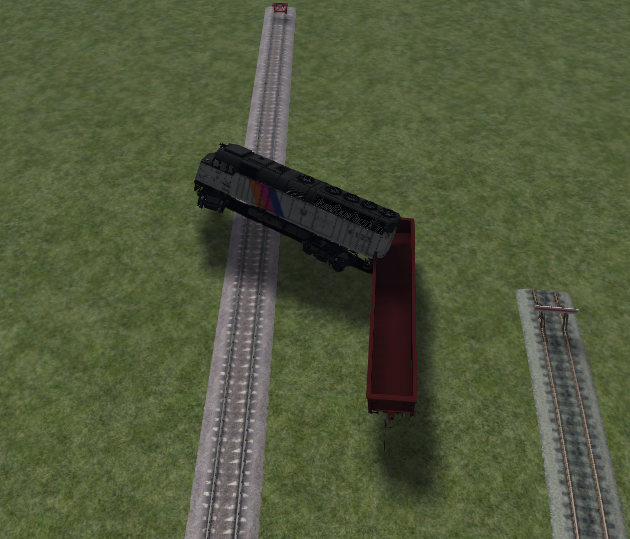
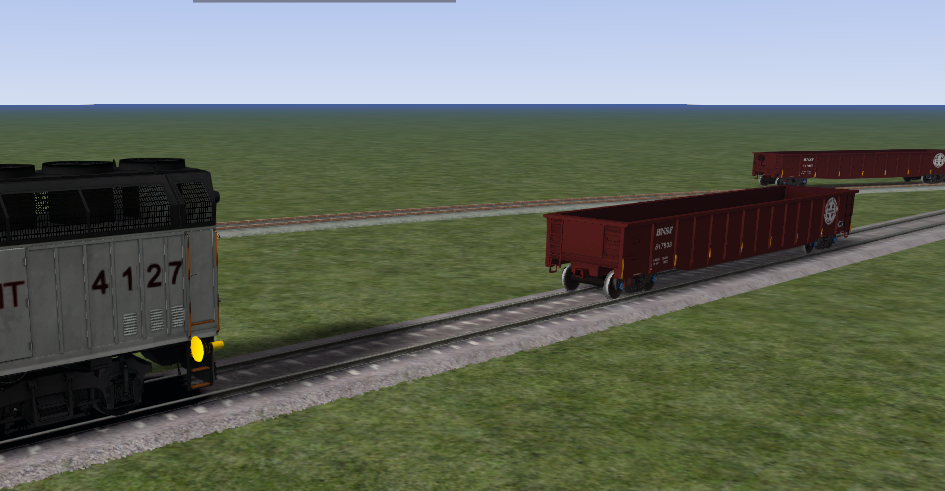
i dont know if they turn because my train launches into the air whenever i couple to it.
the train couples far from the actual model.
Image
Image
Image

Re: 52 Foot Gondola

Unread postPosted: Sat Jul 29, 2017 4:09 pm
by ET44C4
Sorry you're have so many issues. It looks great though! !!*ok*!! Keep up the great work!

Re: 52 Foot Gondola

Unread postPosted: Sat Jul 29, 2017 4:16 pm
by buzz456
Find a GN 52 foot gondola and see how your bin looks compared to that. **!!2cents!!**

Re: 52 Foot Gondola

Unread postPosted: Sat Jul 29, 2017 10:15 pm
by jpetersjr
Try asking Greatnorthernor, or even Mike Rennie, they should know about what would cause this problem and how to fix it.

Re: 52 Foot Gondola

Unread postPosted: Sun Jul 30, 2017 3:48 am
by thebigroyboyski
Firstly your model is looking great !!*ok*!!
Now for your issues, sorry if some of this seams obvious but it's normally something silly that catches you out.
Have you created a bogie blueprint?
When you put in your truck pivot point did you enter the distance from the centre of the model?
How have you named your bogies and wheels?
Check all spelling for the coupler link in your blueprint. A missplaced capital letter or space is enough for it not to work.
I'm sure the blueprint editor works with meters not feet so double check your collision box dimensions and any other dimensions you need to enter.
If in doubt just copy a similar blueprint from another model and see if it works then adjust it to better suit your model.
Try not to get stressed over it as the paperwork side of things can be frustrating at first.

Re: 52 Foot Gondola

Unread postPosted: Sun Jul 30, 2017 8:13 am
by GreatNortherner
thebigroyboyski wrote:Firstly your model is looking great !!*ok*!!
Now for your issues, sorry if some of this seams obvious but it's normally something silly that catches you out.
Have you created a bogie blueprint?
When you put in your truck pivot point did you enter the distance from the centre of the model?
How have you named your bogies and wheels?
Check all spelling for the coupler link in your blueprint. A missplaced capital letter or space is enough for it not to work.
I'm sure the blueprint editor works with meters not feet so double check your collision box dimensions and any other dimensions you need to enter.
If in doubt just copy a similar blueprint from another model and see if it works then adjust it to better suit your model.
Try not to get stressed over it as the paperwork side of things can be frustrating at first.


What the bigroyboyski said. !!*ok*!!

In cases like this the reason is only too often a mismatch between model and blueprint data/dimensions or naming. This stuff must match 100% between the IGS and the XML. So if the 3d model's bo01 node is offset -3.4501 meters from the model's center (the "wagon" group pivot at 0,0,0), this is the precise value you must enter into the blueprint editor. Also, check that the functional nodes in the 3d model all use the correct names as defined in the DevDocs or the TS Wiki ("bo01", "bo01wh01", "wagon", etc.) to ensure they get animated by the game.

That's a very fine looking model you have built there!

Cheers
Michael

Re: 52 Foot Gondola

Unread postPosted: Sun Jul 30, 2017 11:10 am
by GenericZack
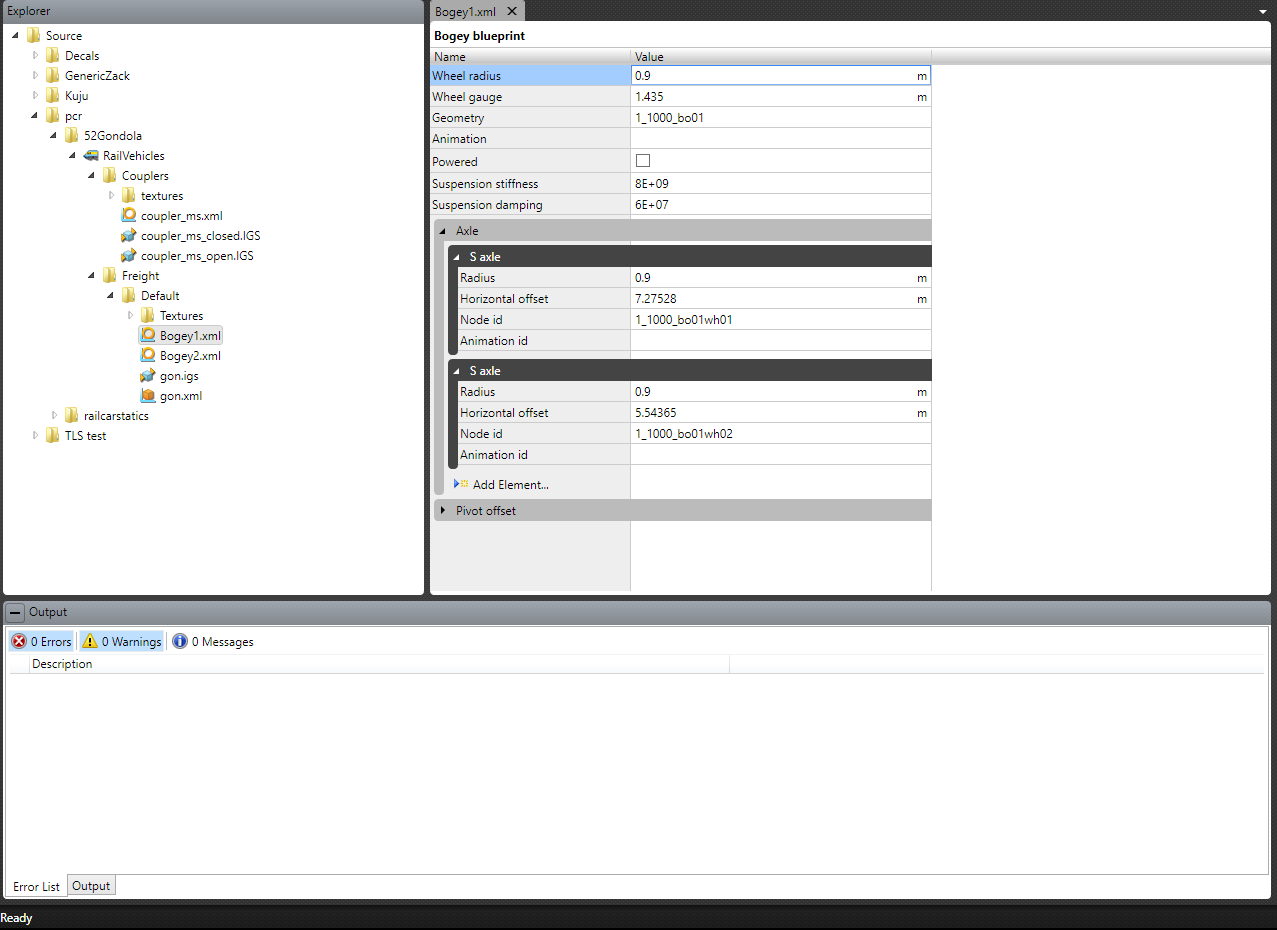
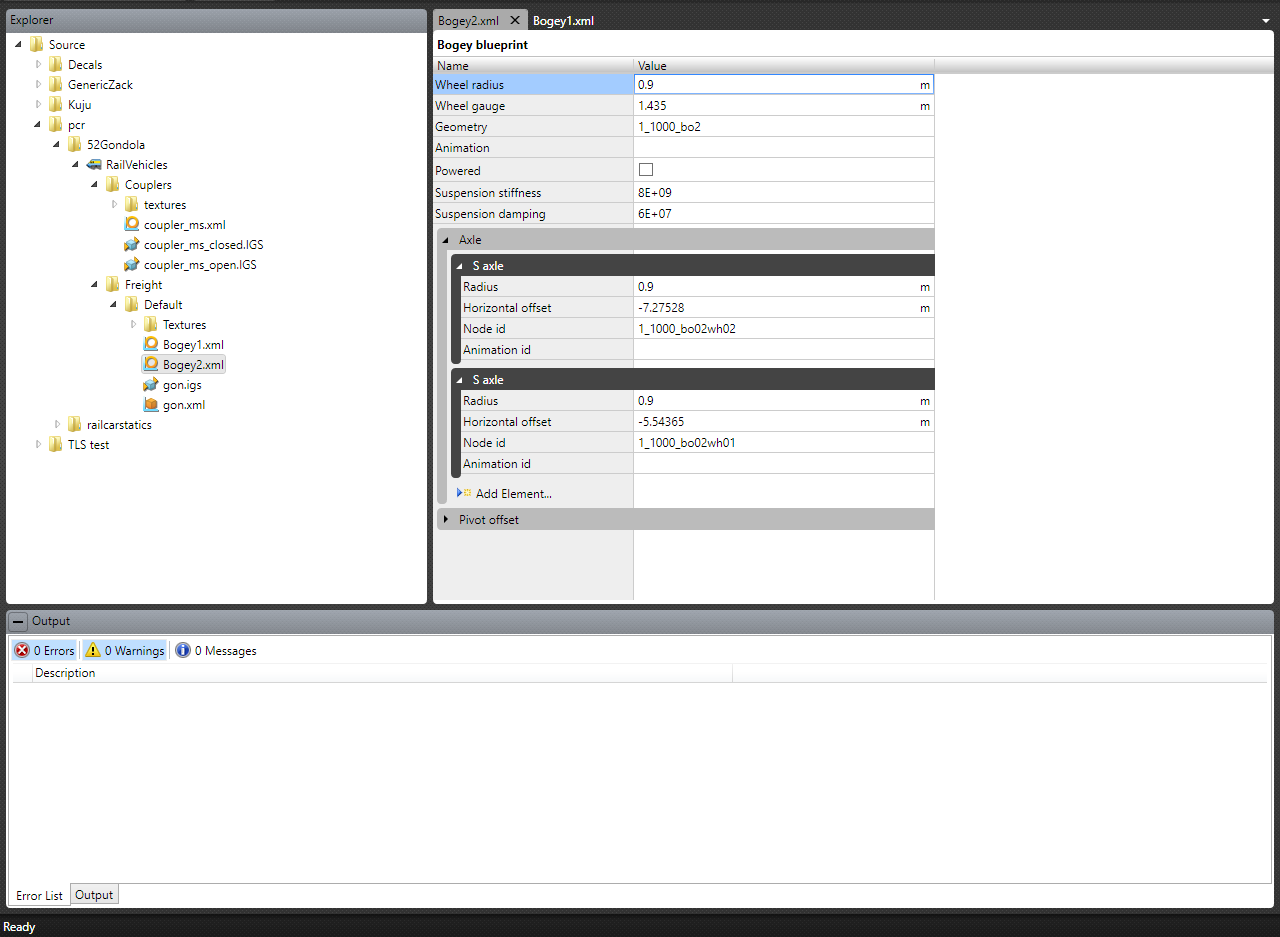
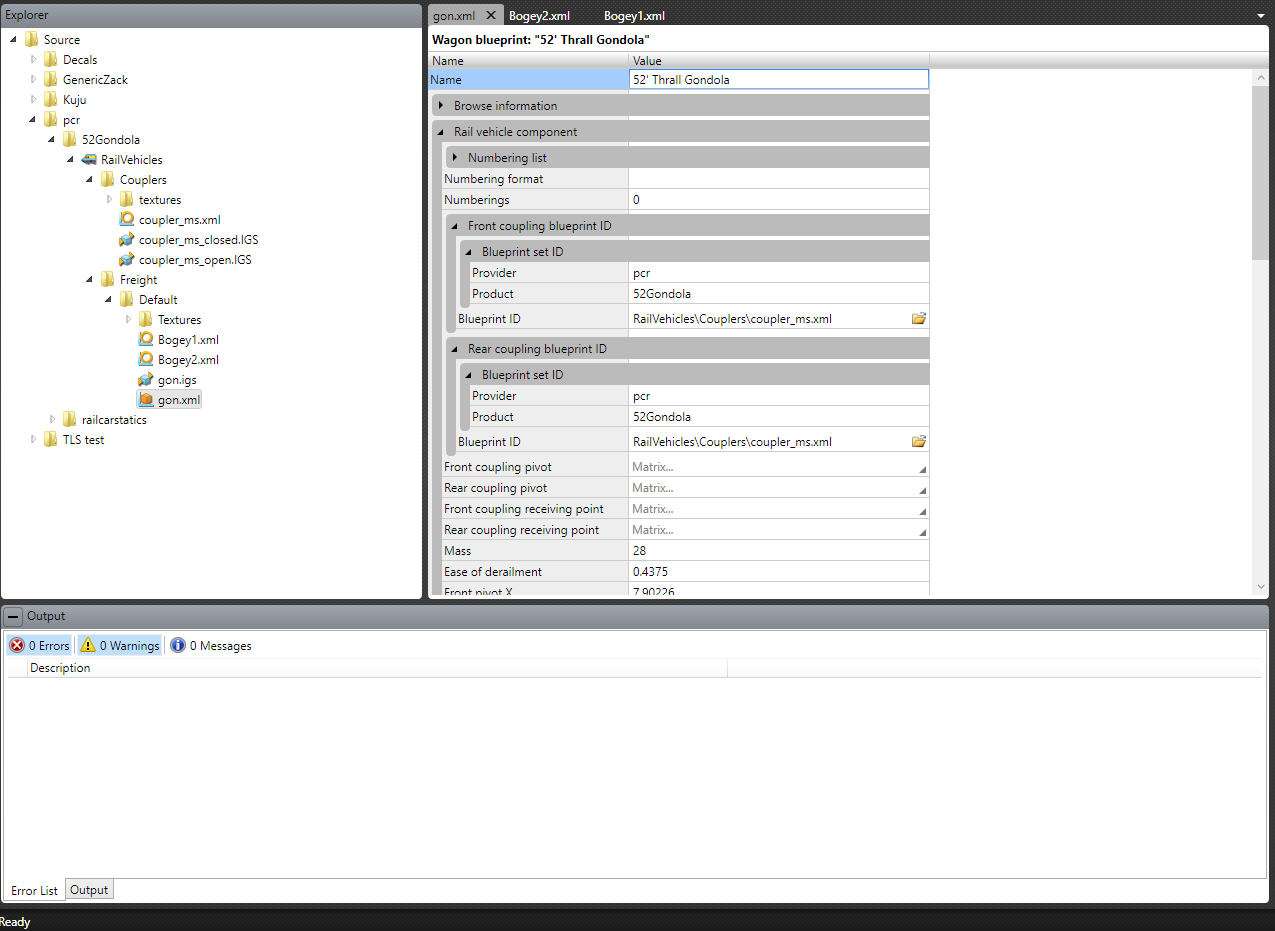
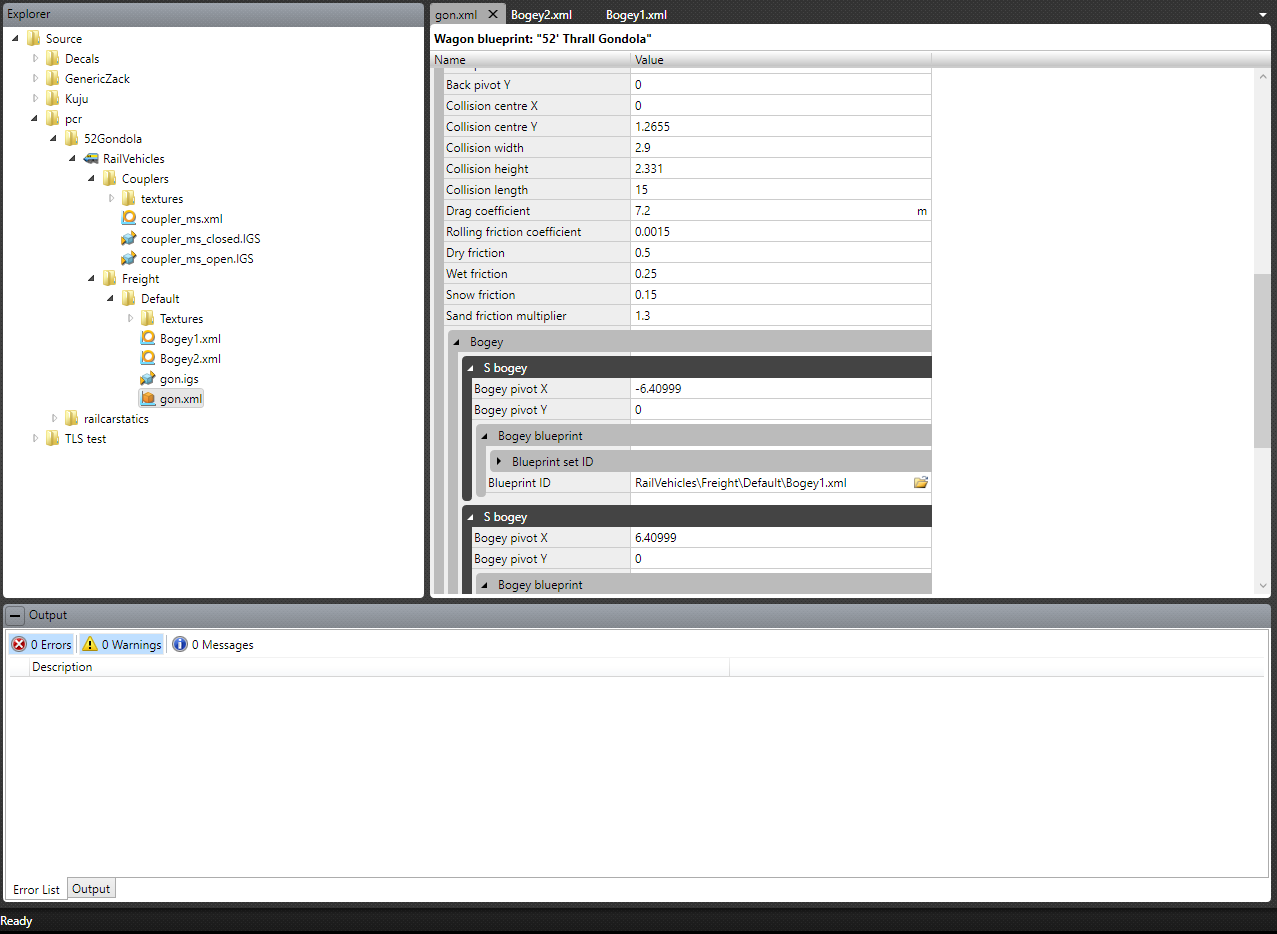
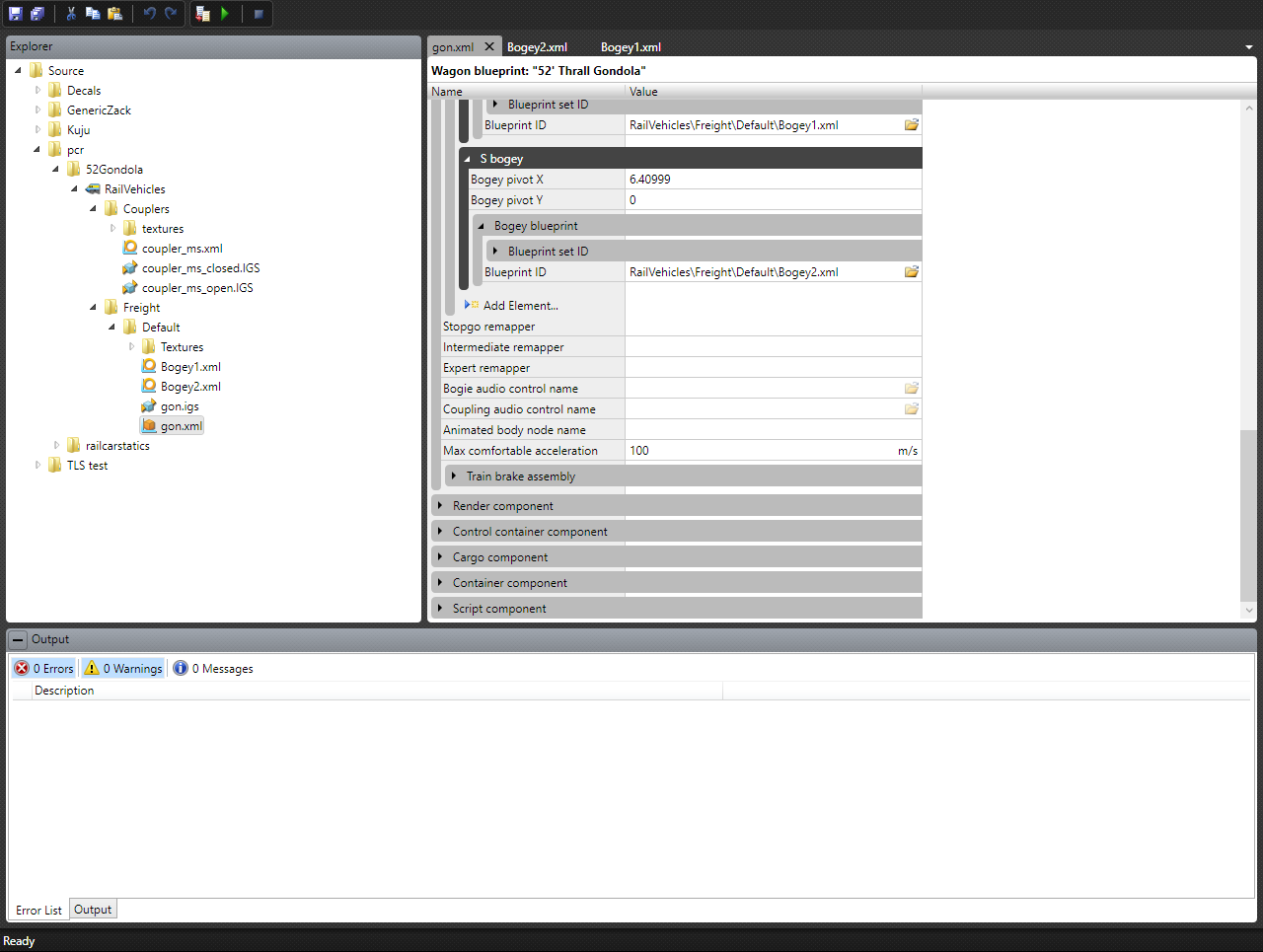
this is what my blueprint(s) look like right now. i might have a naming error on the model so ill check that out real quick.
Image
Image
Image
Image
Image

Re: 52 Foot Gondola

Unread postPosted: Sun Jul 30, 2017 12:36 pm
by thebigroyboyski
One thing i've noticed is in your gon.xml the bogie centres are the wrong way around with bogey 1 having the minus instead of bogey 2.
I'll keep looking and see if i notice anything else.
Edit; also in your bogey2 blueprint you have wheel2 first then wheel1.
I think they need to also be named 1 then 2 as bogey1 is classed as the front one so the wheels need to go 1 2 then 1 2 for bogey2. Hope that makes sense.

Re: 52 Foot Gondola

Unread postPosted: Mon Jul 31, 2017 2:46 am
by GreatNortherner
Spotted another issue that might cause the exploding car !!det!!

In your two bogey blueprints, it looks as though you've input the offset distances of the axles from the center of the car. These should however be from the center of the bogey group. So bo01's group pivot would be the origin point for bo01wh01's and bo01wh02's offsets. Also, check that the bo##wh## groups are arranged as children groups of their respective bo## groups in your 3D model.

And no idea if this is critical or not, but you can skip the 1_####_ prefix in the node name entries in the blueprints. Just adding "bo01" and "bo01wh01" etc. there suffices, though as I said I don't know if having the prefixes there can cause harm. It just might though if you're using LODs for these groups.