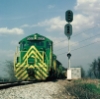
My first attempt at reskinning, RWA GP20

Post your FREEWARE 'Works in Progress' here!

My first attempt at reskinning, RWA GP20

Unread postby Geep20 » Sat Jun 27, 2015 12:08 pm

I finally took the plunge and started the process of learning how to do repaints, and honestly I understand why more people don't delve into such an endeavor. It's simply a pain but so far I feel I have learned a lot in just a couple of days of research and trial and error. My editing skills are poor at best and my knowledge of using such programs is minimal, but I hope over time I learn about those as well. I've been using GIMP to do my editing so far and it hasn't been to bad of an experience yet. So anyway here is the product I have come up with so far. I wanted to redo Reppo's BN GP20 into a simple RWA scheme for my modern RWA route. I kept it simple and just wanted to change the BN green and the add some yellow on the stripes and lower sills. I did have the hood body done but I goofed when trying to get the hood doors transfered and had to revert back to the original BN texture file. Lesson learned make sure you know the name of the file you are trying to convert!

Image

I'm not sure how to go about getting rid of the BN logo and numbers though so I can add my own RWA versions. I'm sure it is outlined somewhere on the forum, I will just have to hunt it down. Comments or suggestions are welcomed, as any help from the pros will only help me grow my skills as I learn this process.
User avatar
Geep20
 
Posts: 36
Joined: Sun Nov 02, 2014 11:03 am

Re: My first attempt at reskinning, RWA GP20

Unread postby buzz456 » Sat Jun 27, 2015 12:36 pm

The lettering is in the logo folder. It looks plain white but when you open the dds the logo and the wording are both there on the alpha channel.
Buzz
39 and holding.
"Some people find fault like there's a reward for it."- Zig Ziglar
"If you can dream it you can do it."- Walt Disney
Image
User avatar
buzz456
Site Admin
 
Posts: 21115
Joined: Sun Mar 21, 2010 8:30 am
Location: SW Florida

Re: My first attempt at reskinning, RWA GP20

Unread postby Geep20 » Sat Jun 27, 2015 5:56 pm

Thanks for the answer to my question Buzz. Now I have another, how do you get the logo to just disappear? So far I have only been able to end up with a black box where the logo once was, or whatever color I try changing the logo texture file to.

Also the repaint tutorial in the learning center mentions copying and pasting the alpha onto the texture being repainted. What is the purpose of this exactly?
User avatar
Geep20
 
Posts: 36
Joined: Sun Nov 02, 2014 11:03 am

Re: My first attempt at reskinning, RWA GP20

Unread postby buzz456 » Sat Jun 27, 2015 6:52 pm

Primary layer the same color as your paint and the alpha should be black.
Buzz
39 and holding.
"Some people find fault like there's a reward for it."- Zig Ziglar
"If you can dream it you can do it."- Walt Disney
Image
User avatar
buzz456
Site Admin
 
Posts: 21115
Joined: Sun Mar 21, 2010 8:30 am
Location: SW Florida

Re: My first attempt at reskinning, RWA GP20

Unread postby XDriver » Sat Jun 27, 2015 7:52 pm

To add to what Buzz said. As long as the alpha is pitch black, it shouldn't show. I don't think it matters what color the primary is. *!!wink!!*
Black alpha makes it invisible.
Image
User avatar
XDriver
R.I.P.
 
Posts: 812
Joined: Wed Oct 19, 2011 7:58 pm
Location: Erie, Pa.


Return to Freeware WIP

Who is online

Users browsing this forum: No registered users and 24 guests