Let There Be Light! - Alpenfreight's Reshade Mod

Post your finished add-on release announcements here!

Re: Let There Be Light! - Alpenfreight's Reshade Mod

Unread postby bpetit » Sat Oct 29, 2016 2:19 pm

goddrauG wrote:And this is where my issue begins.
"The ReShade Framework Mediator is missing required files or the permission to access them. Please start the ReShade Framework Mediator as Administrator or reinstall the ReShade Framework!"

...
What?
Edit: Anyone know how I can restart the ReShade Framework Mediator as Administrator?


Ok, did you extract the .zip to a folder?
"If you really needed a diesel locomotive right away, then go ahead and order a ALCO. But if you could wait for real quality, then go for an EMD or a GE".


My Youtube Channel (Railfanning and Train Simulator 2018)
http://www.youtube.com/user/3985gtasa
User avatar
bpetit
 
Posts: 1985
Joined: Sun Sep 19, 2010 9:44 pm
Location: New Orleans, Louisiana

Re: Let There Be Light! - Alpenfreight's Reshade Mod

Unread postby goddrauG » Sat Oct 29, 2016 2:29 pm

bpetit wrote:
goddrauG wrote:And this is where my issue begins.
"The ReShade Framework Mediator is missing required files or the permission to access them. Please start the ReShade Framework Mediator as Administrator or reinstall the ReShade Framework!"

...
What?
Edit: Anyone know how I can restart the ReShade Framework Mediator as Administrator?


Ok, did you extract the .zip to a folder?

Yes, and now it's working, but a different issue has popped up:
I'll try to make this understandable
In the setup section of Mediator, I don't have the left part.
So I don't have the stuff that says "Delete [Railworks] Add" or the little dots that have stuff like OpenGL, Direct3D 9, etc.
But I do have all the stuff right of those three things.
What could I have done wrong here?
sreehC,
Jack

goddrauG backwards is Guarddog.
User avatar
goddrauG
 
Posts: 515
Joined: Fri May 27, 2016 4:10 pm
Location: New Hampshire, United States

Re: Let There Be Light! - Alpenfreight's Reshade Mod

Unread postby BNSF650 » Sat Oct 29, 2016 5:17 pm

Did anyone change the railworks settings for this?
Image
New Era of Train Simulation
User avatar
BNSF650
 
Posts: 2016
Joined: Mon May 31, 2010 10:27 pm
Location: Texas

Re: Let There Be Light! - Alpenfreight's Reshade Mod

Unread postby Alpenfreight » Sat Oct 29, 2016 5:40 pm

BNSF650 wrote:Did anyone change the railworks settings for this?


I've been making my own Time of Day files. Stay tuned.
https://alpenfreight.wordpress.com/

I hear the train a comin'
It's rollin' 'round the bend
User avatar
Alpenfreight
 
Posts: 397
Joined: Fri Jan 09, 2015 8:32 am
Location: Boston

Re: Let There Be Light! - Alpenfreight's Reshade Mod

Unread postby JohnTrainHead » Sun Oct 30, 2016 11:03 am

20161029121005_1.jpg


20161029122236_1.jpg


Very nice!
You do not have the required permissions to view the files attached to this post.
John Gori
User avatar
JohnTrainHead
 
Posts: 940
Joined: Sun Sep 08, 2013 10:54 am
Location: Maryland

Re: Let There Be Light! - Alpenfreight's Reshade Mod

Unread postby BNSF650 » Sun Oct 30, 2016 3:12 pm

RailWorks 2016-10-30 14-55-22-06.jpg
You do not have the required permissions to view the files attached to this post.
Image
New Era of Train Simulation
User avatar
BNSF650
 
Posts: 2016
Joined: Mon May 31, 2010 10:27 pm
Location: Texas

Re: Let There Be Light! - Alpenfreight's Reshade Mod

Unread postby AlcoFan » Sun Oct 30, 2016 5:34 pm

I do like how it makes the colors a bit more vibrant. Not a fan about how the sky is completely blown out in most cases though. Can this be adjusted?
Josh
AlcoFan
 
Posts: 250
Joined: Sat Nov 01, 2014 9:57 am

Re: Let There Be Light! - Alpenfreight's Reshade Mod

Unread postby Alpenfreight » Sun Oct 30, 2016 5:38 pm

AlcoFan wrote:I do like how it makes the colors a bit more vibrant. Not a fan about how the sky is completely blown out in most cases though. Can this be adjusted?


If you remove the "ambient light" plugin you will lose that bloom effect you're referencing.
https://alpenfreight.wordpress.com/

I hear the train a comin'
It's rollin' 'round the bend
User avatar
Alpenfreight
 
Posts: 397
Joined: Fri Jan 09, 2015 8:32 am
Location: Boston

Re: Let There Be Light! - Alpenfreight's Reshade Mod

Unread postby Noel » Sun Oct 30, 2016 9:17 pm

I have seen the light!

20161030105811_1.jpg
You do not have the required permissions to view the files attached to this post.
Noel
 
Posts: 1276
Joined: Sat Apr 21, 2012 10:02 am
Location: Planet Earth

Re: Let There Be Light! - Alpenfreight's Reshade Mod

Unread postby ZekTheKid » Sun Oct 30, 2016 10:06 pm

Ahh, does this mod change the menu/loading screen too, because it seems a little more bright and vibrant. *!rolleyes!*

And jesus, I just realized I've been running railworks on craptop, which has probably the worst FPS. *!embar*!
Image
Anthony Nguyen
Youtube: https://www.youtube.com/fastfreightstudios
GeForce RTX 3050Ti Mobile, AMD Ryzen 7 5800H, 16GB RAM, 3TB Storage

It's January. So long...
User avatar
ZekTheKid
 
Posts: 2430
Joined: Mon Dec 29, 2014 6:05 pm
Location: Cumberland, MD

Re: Let There Be Light! - Alpenfreight's Reshade Mod

Unread postby ErikGorbiHamilton » Sun Oct 30, 2016 11:52 pm

Huh... Turns out Alpens Presets work in other games, not only just Trainsim!

Just standing Idle near my neighborhood
20161030195456_1.jpg


20161030191510_1.jpg

Los Santos International during a freefall Competition!


Now normally i wouldn't go off topic here and post screenies of other games but Alpens Preset works great with GTA V!

Anyways... Just thought i would share this and see what other games look like with Alpens Preset!

!!**sorry**!! !**off-top**! !!bang!!
You do not have the required permissions to view the files attached to this post.
User avatar
ErikGorbiHamilton
 
Posts: 1574
Joined: Fri Aug 23, 2013 2:41 pm

Re: Let There Be Light! - Alpenfreight's Reshade Mod

Unread postby fscotte55 » Mon Oct 31, 2016 6:40 am

The ambient light is nice, but clouds are nearly washed out in the bright bloomy sky.

Ive tried adjusting the effects a bit, seems its very difficult to get your cake and eat it too.

Ive been using Reshade 3 with the Mastereffect.h config for a bit of enhancement. It does not have the ambient light setting however.
fscotte55
 
Posts: 22
Joined: Wed Oct 26, 2016 2:03 pm

Re: Let There Be Light! - Alpenfreight's Reshade Mod

Unread postby BNSF650 » Tue Nov 15, 2016 8:25 pm

How do you get this to stop? Would like to go back to my game now.
Image
New Era of Train Simulation
User avatar
BNSF650
 
Posts: 2016
Joined: Mon May 31, 2010 10:27 pm
Location: Texas

Re: Let There Be Light! - Alpenfreight's Reshade Mod

Unread postby jalsina » Tue Nov 15, 2016 11:28 pm

I have recently acquired new hardware, an ASUS VG248QE monitor and a EVGA GTX1060 OC.
The second day I was experiencing low fps for the card, not beyond 40 fps with all maxxed out. !**conf**! Then I decided to remove Reshade and I am getting very good fps now, in some places up to 140 fps (Feather River Canyon near Kramm).
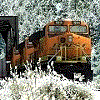

I will reinstall Reshade and see if it fixes that issue.

I wonder if anyone with a series 10 card is experiencing such an issue. I migrated from a 730, so it is possible the series 900 can also produce similar problems.
Intel i7-7900K (3.60 GHz) - ASUS Prime Z390A - 32 GB DDR4 RAM 2400 MHz
GPU EVGA GTX-1060 OC 6GB at 1920x1080, 144 Hz - Monitor ASUS VG-248QE
System Windows 11 Pro in WD SSD 500 GB. Games in Inland 1Tb M.2 NVMe PCIe
User avatar
jalsina
 
Posts: 2016
Joined: Sun Jul 05, 2015 8:32 pm

Re: Let There Be Light! - Alpenfreight's Reshade Mod

Unread postby buzz456 » Wed Nov 16, 2016 7:40 am

I have a 1060 and am not having any fps problems.
Buzz
39 and holding.
"Some people find fault like there's a reward for it."- Zig Ziglar
"If you can dream it you can do it."- Walt Disney
Image
User avatar
buzz456
Site Admin
 
Posts: 21097
Joined: Sun Mar 21, 2010 8:30 am
Location: SW Florida

PreviousNext

Return to Freeware Add-On Releases

Who is online

Users browsing this forum: No registered users and 1 guest

cron