Page 1 of 3
Dieselworkshop install instructions not realy helpfull

Posted:
Fri Dec 08, 2023 7:44 amby Cardinal51
Hi all,
I just bought some (three packages) dieselworkshop stuff but unfortunately the install instructions are not realy helpful.
How do I install it?
======================
1. install the file "ALCO C-424 BN and SP&S.rwp" with the program "Utilities" located in the root folder RailWorks (or Train Simulator).
Running the file using the utilities does not install it, it just opens the utilities program.
please advice.
Thanks
Re: Dieselworkshop install instructions not realy helpfull
Posted:
Fri Dec 08, 2023 9:27 amby buzz456
Did you click on the Package Manager tab, then install, then go find the rwp you are trying to install?
Re: Dieselworkshop install instructions not realy helpfull
Posted:
Fri Dec 08, 2023 9:32 amby Cardinal51
Thanks. Just did that, but get this error . . .

All three buys have that error. First thought it is because the file was zipped, but I also get the error after unzipping the files.
But perhaps the file did install correctly, anyway I check that ?
Re: Dieselworkshop install instructions not realy helpfull
Posted:
Fri Dec 08, 2023 9:37 amby buzz456
Did you click continue to see what happens? I am assuming you found the Alco424 rwp?
Re: Dieselworkshop install instructions not realy helpfull
Posted:
Fri Dec 08, 2023 9:40 amby Cardinal51
Yes tried to install all three RWP one by one (each was done immediately, felt like nothing was installed, and then checked for the locomotives in quick-drive. did not see them.
Re: Dieselworkshop install instructions not realy helpfull
Posted:
Fri Dec 08, 2023 9:41 amby buzz456
It should be named '[DW] ALCO C424 BN.rwp' or something like that.
Re: Dieselworkshop install instructions not realy helpfull
Posted:
Fri Dec 08, 2023 9:43 amby buzz456
Did you look in the DieselWorkshop folder in Assets to see if anything was there?
Re: Dieselworkshop install instructions not realy helpfull
Posted:
Fri Dec 08, 2023 9:43 amby Cardinal51
Thanks. Locating the RWP files went fine.
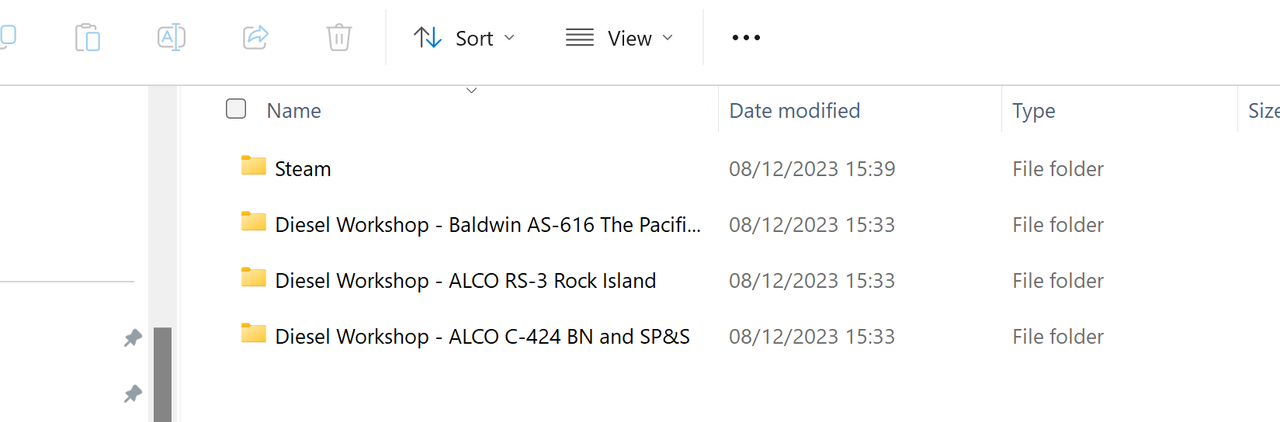

Re: Dieselworkshop install instructions not realy helpfull
Posted:
Fri Dec 08, 2023 9:47 amby Cardinal51
buzz456 wrote:Did you look in the DieselWorkshop folder in Assets to see if anything was there?
No Diesel Workshop directory . . .
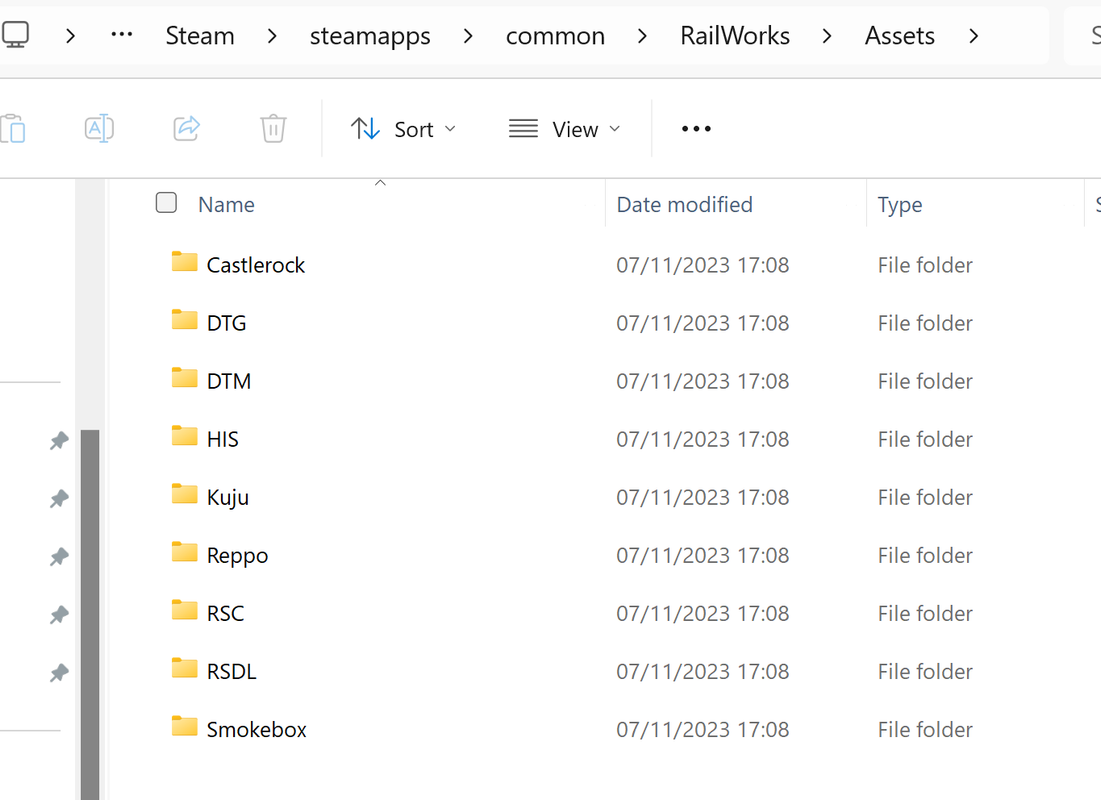
Re: Dieselworkshop install instructions not realy helpfull
Posted:
Fri Dec 08, 2023 10:00 amby Cardinal51
I will remove Train Simulator, reinstall, and try again.
Re: Dieselworkshop install instructions not realy helpfull
Posted:
Fri Dec 08, 2023 10:04 amby buzz456
So you did what I told you to do and clicked on 'open' after you got the 'Baldwin AS616 etc. rwp highlighted in the box and nothing happened?
Re: Dieselworkshop install instructions not realy helpfull
Posted:
Fri Dec 08, 2023 10:04 amby buzz456
Cardinal51 wrote:I will remove Train Simulator, reinstall, and try again.
The problem isn't there.
Re: Dieselworkshop install instructions not realy helpfull
Posted:
Fri Dec 08, 2023 10:05 amby Cardinal51
Something DID happen. The error message.
Re: Dieselworkshop install instructions not realy helpfull
Posted:
Fri Dec 08, 2023 10:09 amby buzz456
I suggest you unzip the rwp and just install the DieselWorkshop folder into your Assets folder and see if the thing shows up.
Re: Dieselworkshop install instructions not realy helpfull
Posted:
Fri Dec 08, 2023 10:11 amby Cardinal51
Ok, will try. Is there a special tool to unzip a RWP file ?