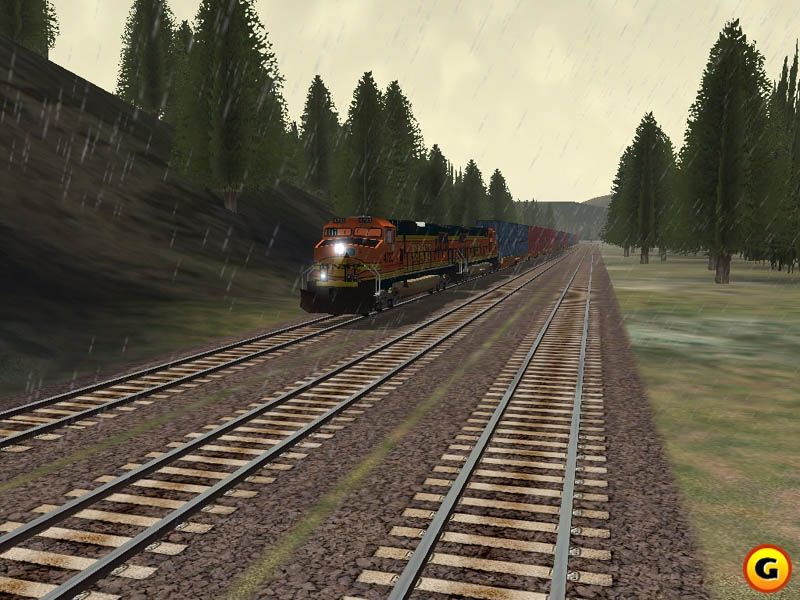
Switches show moire and still have not fix this yet?

Post your problems and installation issues here!

Re: Switches show moire and still have not fix this yet?

Unread postby NYWhiskey » Wed Nov 11, 2015 10:26 pm

If you didn't upload your pics to Steam go to C:\Program Files (x86)\Steam\userdata\28221635\760\remote\24010\screenshots or whatever your Steam location is.

To get rid of moire you need a good comp and a high end graphics card and the crank up the AA as high as you can. It really makes all the difference. !!*ok*!!
Rich Wade
North Eastern Rail Works i7-8700K @5GHz, ROG Maximus X Hero Motherboard, Corsair Vengeance 32GB RAM @3200, Asus RTX 2080Ti, 1TB M2 Crucial SSD, Tri Monitors, 3 HD's = 10TB, Corsair H80i v2 liquid cooler, Win 10 Pro Insider slow track
User avatar
NYWhiskey
 
Posts: 534
Joined: Wed Feb 24, 2010 5:27 pm
Location: Bronx, NY

Re: Switches show moire and still have not fix this yet?

Unread postby trev123 » Wed Nov 11, 2015 10:28 pm

I have TS on my E drive and the OS on my C drive and screenshots appear in my pictures folder on my C: drive.
Intel i5-10600K CPU, Asus TUF GAMING Z490-Plus (Wi-Fi) MB, Graphics Asus RTX 3060 TI 8GB OC TUF gaming card Windows 11 Home 64 bit, 16 GB Corsair Vengeance DDR4 ram, Viewsonic VX2728 LED 1080P FHD Monitor, Samsung 1TB SSD + other conventional drives, Corsair 750W PSU.
User avatar
trev123
 
Posts: 2333
Joined: Mon May 19, 2014 9:40 pm
Location: Home Of The Americas Cup

Re: Switches show moire and still have not fix this yet?

Unread postby NYWhiskey » Wed Nov 11, 2015 10:37 pm

Nothing for nothing but nVidia has been blowing AMD away for the past decade at least in regards to gaming. Why even purchase that if you are looking for a good gaming experience? No offense intended, I just want to know as a computer builder.
Rich Wade
North Eastern Rail Works i7-8700K @5GHz, ROG Maximus X Hero Motherboard, Corsair Vengeance 32GB RAM @3200, Asus RTX 2080Ti, 1TB M2 Crucial SSD, Tri Monitors, 3 HD's = 10TB, Corsair H80i v2 liquid cooler, Win 10 Pro Insider slow track
User avatar
NYWhiskey
 
Posts: 534
Joined: Wed Feb 24, 2010 5:27 pm
Location: Bronx, NY

Re: Switches show moire and still have not fix this yet?

Unread postby cnbalasub » Thu Nov 12, 2015 10:36 am

NYWhiskey -- Thank you for your reply to my message. Yes it is true that nVidia is better than AMD in gaming now. Guess that I have to live with this AMD graphic card and will still show moire switches.

trev123 -- thank you for your reply to my message about the screenshots. I know that the screenshots should appear in my pictures folder on the main drive with C:/. I am not sure why it didn't show up and will ask one of my family member (one of my son) who is a computer geek about this.

Thank you,

John
cnbalasub
 
Posts: 597
Joined: Wed Sep 21, 2011 8:20 pm

Re: Switches show moire and still have not fix this yet?

Unread postby OldProf » Thu Nov 12, 2015 10:46 am

While running a scenario recently, I took two screenshots of the same yard tracks from different angles. Here's the first one:

Image

. . . and here's the second:

Image

As usual, ugliness is in the eye of the beholder. To eliminate moire, in TS as in real life, simply change your point of view.

!!howdy!!
Tom Pallen (Old Prof)

{Win 10 Home 64-bit; Intel Core i7 6700 @ 3.40GHz; 16.0GB Single-Channel @ 1063 MHz (15-15-15-364); 2047MB NVIDIA GeForce GTX 960}
User avatar
OldProf
 
Posts: 2743
Joined: Wed Sep 09, 2009 10:09 am

Re: Switches show moire and still have not fix this yet?

Unread postby cnbalasub » Thu Nov 12, 2015 12:37 pm

2015-11-09_00007.jpg


OK and here is my first screenshot that you can see the moire switch.

Thank you,

John
You do not have the required permissions to view the files attached to this post.
cnbalasub
 
Posts: 597
Joined: Wed Sep 21, 2011 8:20 pm

Re: Switches show moire and still have not fix this yet?

Unread postby _o_OOOO_oo-Kanawha » Thu Nov 12, 2015 1:17 pm

I don't think much can be done about the Moire in certain track.

Contrary to MSTS and Open Rails where track and switches come in pieces, much like a model train set, Railworks' track is constructed dynamically.
It is a 3D roadbed/ties "base" and separate rails floating slightly above the base. When you lay track in Railworks, it is a continuous ribbon. In switches tracks have to be cut and welded together and the switch appears as by magic.

In switches, the tangent (straight) and diverging (curved) track "bases" get overlaid on top of each other, meaning the rendering engine has to make choices as what to show and what to hide. At shallow viewing angles, like from your locomotive cab, this lead to the ugly Moire effect. Some 3D track is more prone to Moire than other. Press 2 and when in outside view, raise your viewpoint and the Moire goes away.

Overall, there seems to be a "Moire horizon" at a certain distance from the viewer, where close together overlaid/parallel planes/surfaces of 3D objects, be it track, roads or signs, get indistinguishable by the rendering engine (z-buffering). When you zoom in, you'll get lots more of z-buffering errors, even in distant scenery, because at the greater distance from your viewpoint, objects appear closer together due to perspective distortion (I think).

Like the Old Prof said, changing your viewing angle means the close together planes get rendered differently, with less or more Moire depending on how they overlap.

There are said to be bugs in the Railworks rendering engine, and design flaws in many layered objects, compounding the effect in some cases. You'll notice for instance in many signs and billboards, the creator used a blank base, and glued the actual sign on top of that. Zoom in and out and you can see the rendering engine fighting with what to display.

Reducing the "sharpness" of your view helps a bit, you can try to play with the anti-aliasing options in the Settings\Graphics\Advanced menus.

Perhaps with the promised new Unreal 4 game engine come new renderers, more powerful and less prone to z-buffering and other display errors. We'll have to wait and see.
Last edited by _o_OOOO_oo-Kanawha on Thu Nov 12, 2015 1:26 pm, edited 3 times in total.
Edwin "Kanawha"
Image
The Chessie, the train that never was ... (6000 hp Baldwin-Westinghouse steam turbine electric)
User avatar
_o_OOOO_oo-Kanawha
 
Posts: 3231
Joined: Mon Nov 14, 2011 2:12 pm

Re: Switches show moire and still have not fix this yet?

Unread postby OldProf » Thu Nov 12, 2015 1:21 pm

Try looking at the same switch using the 2 camera and moving around to various points of view. Take some screenshots as you do this. Does the moire effect appear at other viewing angles?
Tom Pallen (Old Prof)

{Win 10 Home 64-bit; Intel Core i7 6700 @ 3.40GHz; 16.0GB Single-Channel @ 1063 MHz (15-15-15-364); 2047MB NVIDIA GeForce GTX 960}
User avatar
OldProf
 
Posts: 2743
Joined: Wed Sep 09, 2009 10:09 am

Re: Switches show moire and still have not fix this yet?

Unread postby cnbalasub » Thu Nov 12, 2015 1:56 pm

Tom,

Yes I see that now what you are talking about using the #2 camera to see the switch (same). Will take more screenshots of the same switch later with different angles.

John
cnbalasub
 
Posts: 597
Joined: Wed Sep 21, 2011 8:20 pm

Re: Switches show moire and still have not fix this yet?

Unread postby cnbalasub » Thu Nov 12, 2015 5:41 pm

Screenshot_Norfolk Southern Coal District_40.03339--79.88054_08-28-09.jpg


Here is the closer look of moire switch above from the route of Norfolk Southern Coal District Route Add-On. Click on the top left to see the bigger photo. Then you will know what I am talking about moire switch but can't do anything about this.

John
You do not have the required permissions to view the files attached to this post.
cnbalasub
 
Posts: 597
Joined: Wed Sep 21, 2011 8:20 pm

Re: Switches show moire and still have not fix this yet?

Unread postby NYWhiskey » Thu Nov 12, 2015 6:24 pm

Look at that last pick. Kids these days don't know what real moire is. I remember when a hershey bar was 5 cents, dern I'm getting old.
Rich Wade
North Eastern Rail Works i7-8700K @5GHz, ROG Maximus X Hero Motherboard, Corsair Vengeance 32GB RAM @3200, Asus RTX 2080Ti, 1TB M2 Crucial SSD, Tri Monitors, 3 HD's = 10TB, Corsair H80i v2 liquid cooler, Win 10 Pro Insider slow track
User avatar
NYWhiskey
 
Posts: 534
Joined: Wed Feb 24, 2010 5:27 pm
Location: Bronx, NY

Re: Switches show moire and still have not fix this yet?

Unread postby dejoh » Thu Nov 12, 2015 7:04 pm

Hey, be glad the sim doesn't look like this. There has been much improvement in the way the tracks look in TS2016.
Don't Worry-Be Happy !*brav*!
Image
User avatar
dejoh
 
Posts: 1478
Joined: Mon Feb 16, 2009 5:08 pm
Location: So. Chicago Heights, Il.

Re: Switches show moire and still have not fix this yet?

Unread postby NYWhiskey » Thu Nov 12, 2015 7:33 pm

I was looking for pics like that. LOL!!!!!
Rich Wade
North Eastern Rail Works i7-8700K @5GHz, ROG Maximus X Hero Motherboard, Corsair Vengeance 32GB RAM @3200, Asus RTX 2080Ti, 1TB M2 Crucial SSD, Tri Monitors, 3 HD's = 10TB, Corsair H80i v2 liquid cooler, Win 10 Pro Insider slow track
User avatar
NYWhiskey
 
Posts: 534
Joined: Wed Feb 24, 2010 5:27 pm
Location: Bronx, NY

Re: Switches show moire and still have not fix this yet?

Unread postby NYWhiskey » Thu Nov 12, 2015 7:51 pm

cnbalasub wrote: Then you will know what I am talking about moire switch but can't do anything about this.

John


You can do everything about it, don't blame the game. Get a real motherboard, get a real CPU, get a real video card, stuff it up with RAM, that's what you can do. Stop blaming the game for your "short" comings. *!lol!*
Rich Wade
North Eastern Rail Works i7-8700K @5GHz, ROG Maximus X Hero Motherboard, Corsair Vengeance 32GB RAM @3200, Asus RTX 2080Ti, 1TB M2 Crucial SSD, Tri Monitors, 3 HD's = 10TB, Corsair H80i v2 liquid cooler, Win 10 Pro Insider slow track
User avatar
NYWhiskey
 
Posts: 534
Joined: Wed Feb 24, 2010 5:27 pm
Location: Bronx, NY

Previous

Return to Problems and Peculiarities

Who is online

Users browsing this forum: No registered users and 1 guest